How to create new cloum

Techmet
Last Update 8 ay önce
Column in campaign, are 3 types pre-defined column (Basic), auto-genereated column (System Field) and customised (Custom Fields) . In Column, We can define the value as text, name, Datetime and textarea(peragraph)
Note: Special character and repeated column name will not be accepted while creating column name.
Pre-defined column(Basic), are those column which get pre-setted in BeTyphon platform at time of new account signup. Inwhich, "phone" is a main column which helps to create the prospect in BeTyphon account- without "phone" prospect can not be created in BeTyphon.
| Column Name | Details |
|---|---|
| firstName | Name of the prospect |
| phone | phone number of prospect - dialed button and whatsapp button |
| email id of prospect for prospect communication | |
| city | City of prospect |
| state | State of prospect |
| source Tag | Source of prospect - Manual and API |
| company | Company name of prospect |
| address | Address of Prospect |
| place | Place of work |
| pincode | Address pincode of prospect |
| Country | Country of prospect based on it phonedialing and whatsapp will process |
Auto-generated column (System Fields), are those column which system generate's automatically based on activity in BeTyphon.
| Column Name | Details |
|---|---|
| disposition | Primary disposition + Secondary Disposition + Secondary Disposition1 |
| callback | Followup date & time of prospect - it can be picked while creating disposition under callback action |
| remarks | Feedback/ remarks which get added by user for prospect |
| appointment | appointment date & time of prospect - it can be picked while creating disposition under callback action |
| TotalCalls | Number of attempts by users for disposition update |
| CallStatus | Call status - Connected / Not-Connected based on actual call dialing history of phone |
| assignTo | Prospect can get assign while manual entry, data upload and API entry directly. |
| assignedBy | Its auto-picked and updated automatically when the prospect get reassigned in BeTyphon by user/ manager/ subscrier. |
| createdOn | Its auto-picked and updated automatically when the prospect get created in BeTyphon |
| createdBy | Its auto-picked and updated automatically who creating the fresh prospect in BeTyphon |
| InSystem | Its auto-gereneated column how the prospect get entered Manual-Api |
| IsActive | It shows the followup status of True-False |
| updatedOn | This column shows the updation in prospect incase of repeat entry |
| CallDialed | Call status - dialed/ non-dialed based on actual click of dial button |
| LastCalled | Date & time when prospect was updated last-time to prospect in BeTyphon |
| LastCaller | name of user who called last to prospect in BeTyphon |
| phonecode | Need to add the country code with phone number |
| CountryName | Need to manage the country name for prospect |
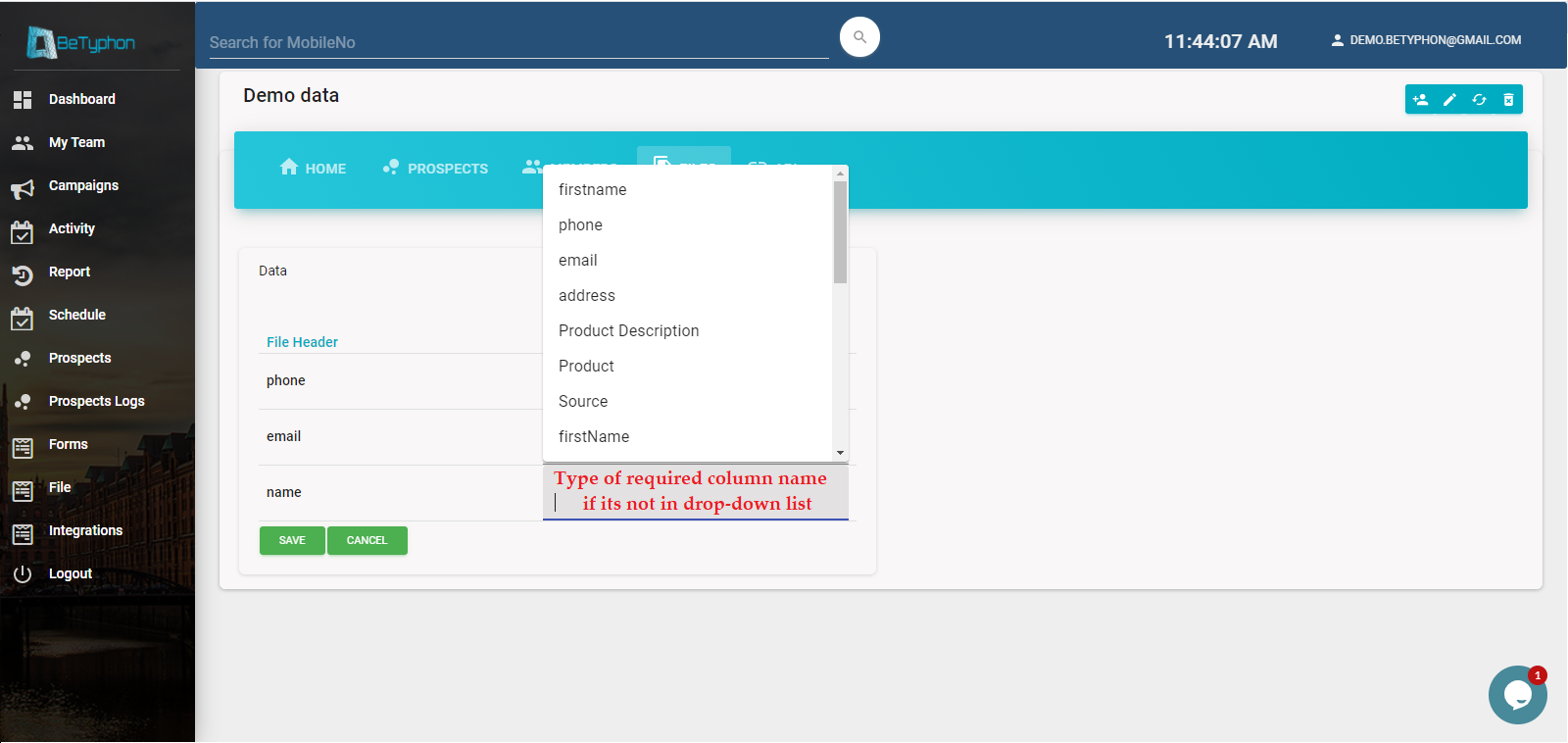
Customised (Custom Fields), are those which create by subscriber based on his/her requirement while uploading the CSV upload as Column name.
Step 1 - Make your CSV file ready
Step 2 - Select the Campaign to upload the file
Step 3 - Choose the file, under "File" in selected campaign
Step 4 - Get the file uploaded and map column name
Step 5 - Check the "File Logs" - Inserted, Updated or Failed.