How to Upload the data

Techmet
Last Update לפני 8 חודשים
Note - Need to prepare the Data in CSV Format to upload in Campaign. Reference Link - https://betyphon.tawk.help/article/how-to-prepare-csv-file-for-data-upload
- Ensure, Above options from "Choose file" to picked properly.
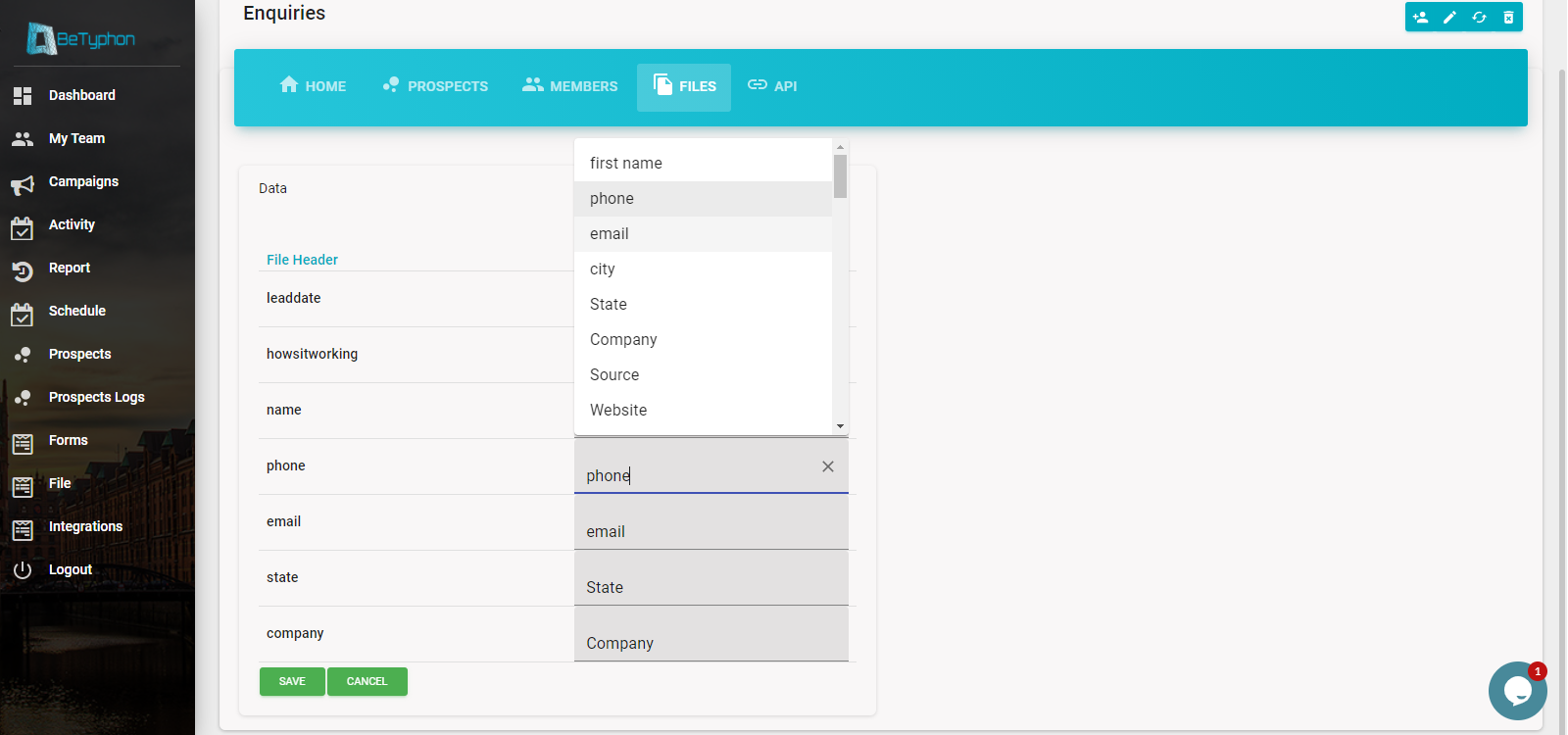
- Incase of any new column based on Industry, Click on Add Field (Automatically Column name will be show in Dropdown for mapping)
- Step 1 > Click on Campaign - View More
- Step 2 > Go to "File" page
- Step 2 > Choose the prepared file from Desktop /Laptop which suppose to uploaded
- Step 3 > Map the Column, based on Excel Column
- Step 4 > Save (Data Uploaded Done)


- CheckIN (✔) ,Duplicate records to be pulled in campaign?
⏩ - if you want any number which is already available with another campaign in same account and want to pull the prospect in new campaign where you are uploading the data then.
⏩ - If you want to make the prospect as FRESH which is already available in other campaign/ same subscriber account
- CheckIN (✔) ,Low call priority in case of duplicate updation.
⏩ if you want the duplicate lead not to be come for next call which is match as duplicate

Data upload Status
Betyphon has concept of "Single-Customer followed by Single-User" which is prospect duplicacy is controlled efficiently. Above synopsis shows the status of file (prospect uploaded) in Campaign>File at time of Data upload real-time.
👉 Note -
When Total Records will be visible and other status shows "0" it means File Column and Campaign Column's are not mapped properly. then Click on Re-Map and Select the Column again.
✔ Insert Records - File get uploaded & Prospect entry get created in Campaign.
✔ Updated Records - File get uploaded but Fresh Prospect not created, Prospect is already available in Betyphon account.
✔ Failed Records - File get uploaded but prospect get failed to create in Campaign. Check the phone Column and Column headers, there is issue in File which prepared for prospect upload.